AfterSalesFull Tool V1.5.1 for Windows
AfterSalesFull Tool is a smartphone service utility associated with selected Tecno, Infinix, and Itel devices. It is intended for technical maintenance, device diagnostics, and supported software service operations.
This article provides information about AfterSalesFull V1.5.1, its reported features, basic installation steps, and the available download package for Windows computers.
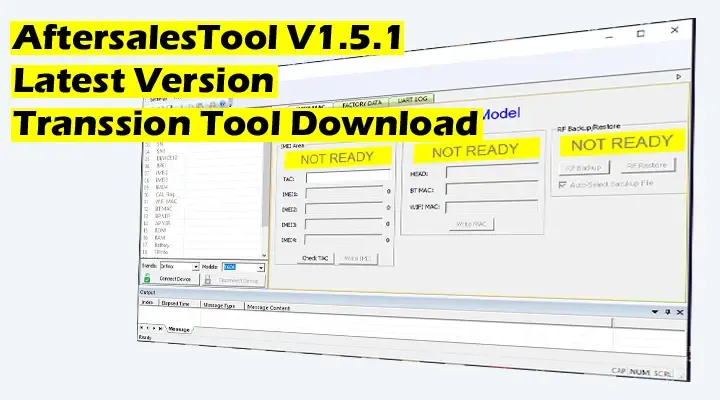
What Is AfterSalesFull Tool?
AfterSalesFull is a technical utility used for certain smartphone after-sales service tasks. Depending on device compatibility and available permissions, it may provide diagnostic information, communication logs, and maintenance-related functions.
The utility has been associated with MediaTek, Qualcomm, and Spreadtrum-based devices. However, support for individual chipsets and phone models must be verified before performing any operation.
AfterSalesFull V1.5.1 Features
- Supported smartphone diagnostic operations.
- UART log collection for compatible devices.
- RF configuration backup and restore options.
- Device configuration and service information.
- Selected maintenance and troubleshooting functions.
- Windows-based service utility interface.
Software: AfterSalesFull Tool
Version: V1.5.1
Platform: Windows PC
Category: Smartphone Service Utility
Compatibility: Model and firmware dependent
AfterSalesFull V1.5.1 Update Notes
The supplied version information lists the following changes:
- General software bug fixes.
- Changes related to Windows 10 operation.
- Updated support for UART log collection.
- RF backup and restore interface improvements.
- Additional device configuration support.
- Updated MAC mapping information.
These notes describe the supplied V1.5.1 package and have not been independently verified against an official changelog.
How to Install AfterSalesFull Tool
- Download the available ZIP package below.
- Scan the downloaded archive with updated security software.
- Extract the archive using 7-Zip or WinRAR.
- Install compatible smartphone USB drivers if required.
- Open the extracted application on your Windows PC.
- Connect an authorized, supported smartphone using a reliable USB cable.
- Use only the functions appropriate for your device and service task.
Download AfterSalesFull Tool V1.5.1
The following link provides the AfterSalesFull V1.5.1 archive through MediaFire. This is a third-party file hosting link, not an official developer download page.
AfterSalesFull V1.5.1 ZIP
Windows Smartphone Service Utility
Download AfterSalesFull V1.5.1External Download – Hosted on MediaFire
Frequently Asked Questions
Does AfterSalesFull support all Tecno, Infinix, and Itel phones?
No. Supported features vary by model, chipset, firmware, and software version.
Can AfterSalesFull run on Windows 10?
The supplied release notes mention Windows 10 compatibility improvements, but successful operation is not guaranteed on every computer.
Is AfterSalesFull V1.5.1 the newest release?
V1.5.1 is the version provided in this article. A newer official release has not been verified here.
Final Words
AfterSalesFull V1.5.1 may be useful for supported smartphone diagnostics and authorized service maintenance. Always confirm device compatibility, keep backups, and avoid changing sensitive configuration data without the necessary technical knowledge.
Disclaimer: This article is intended for educational and authorized repair purposes. Software trademarks belong to their respective owners.